Snap a school calendar
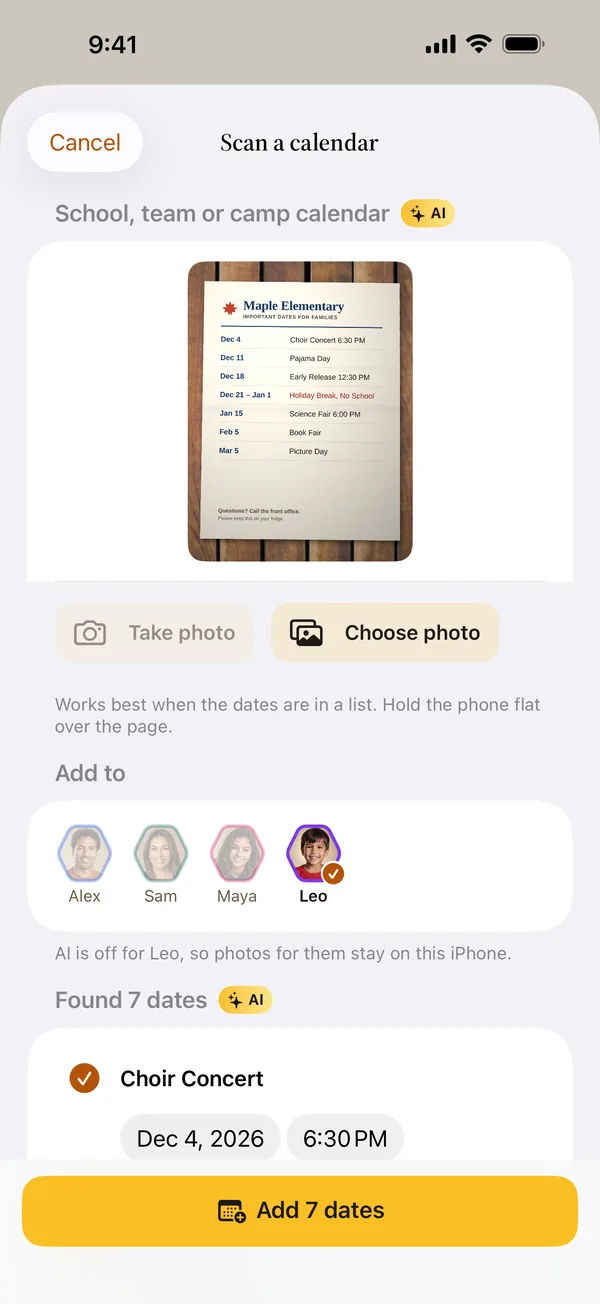
Take a photo of the school's calendar or a flyer. Hivetime finds the dates, like no-school days and picture day, and adds the ones you pick to the right person.
 Family calendar for iPhone
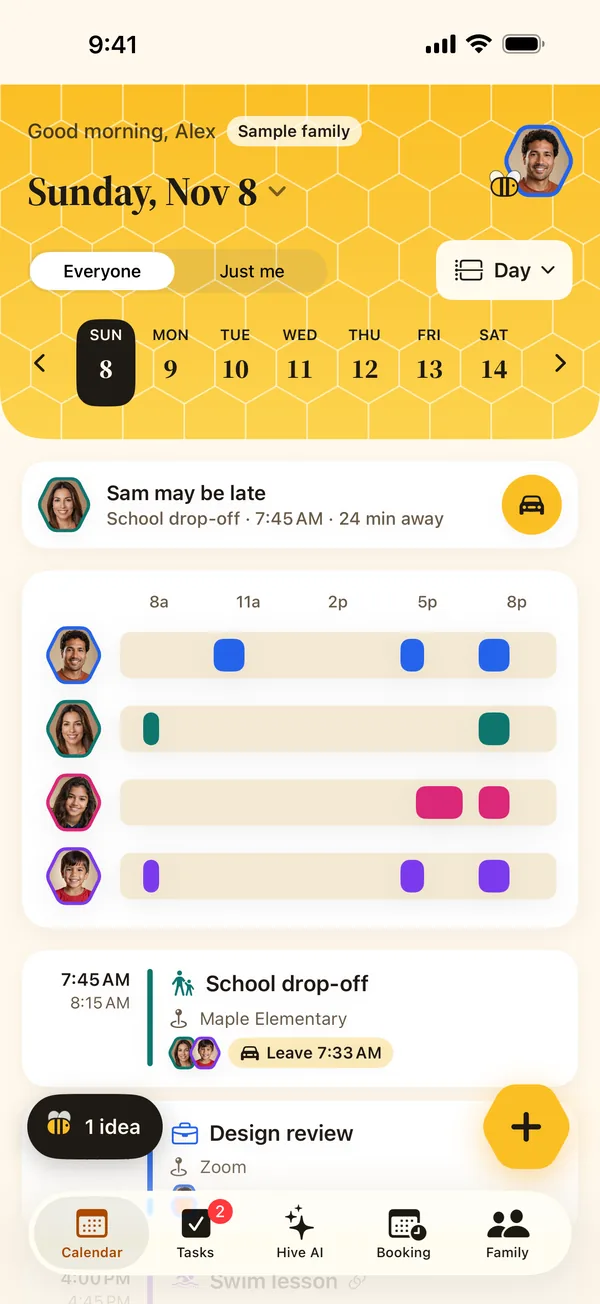
Hivetime puts the whole family's plans on one calendar, lets grandparents and sitters book a time that works for everyone, and turns school flyers and recipes into events and lists in seconds.
One plan covers the whole family.
Hivetime's helpers do the copying for you, then show you exactly what they found before anything lands on the calendar.
Take a photo of the school's calendar or a flyer. Hivetime finds the dates, like no-school days and picture day, and adds the ones you pick to the right person.
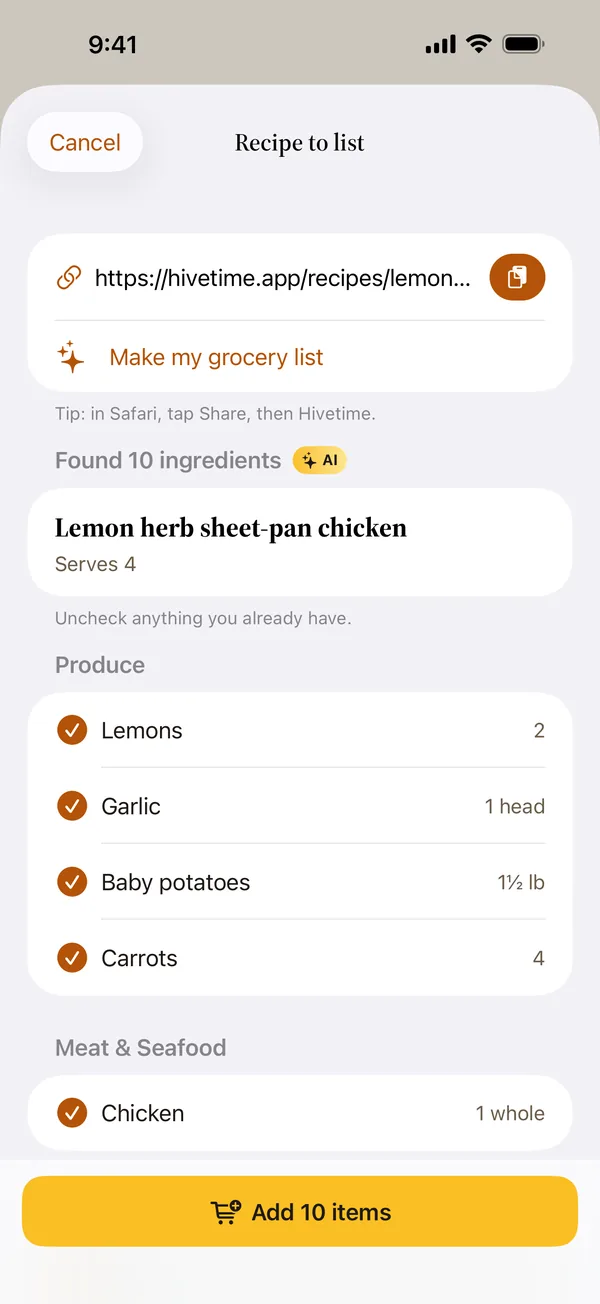
Share a recipe link from Safari. Hivetime pulls out the ingredients, skips things nearly every kitchen has, and sorts the shopping list by store section.
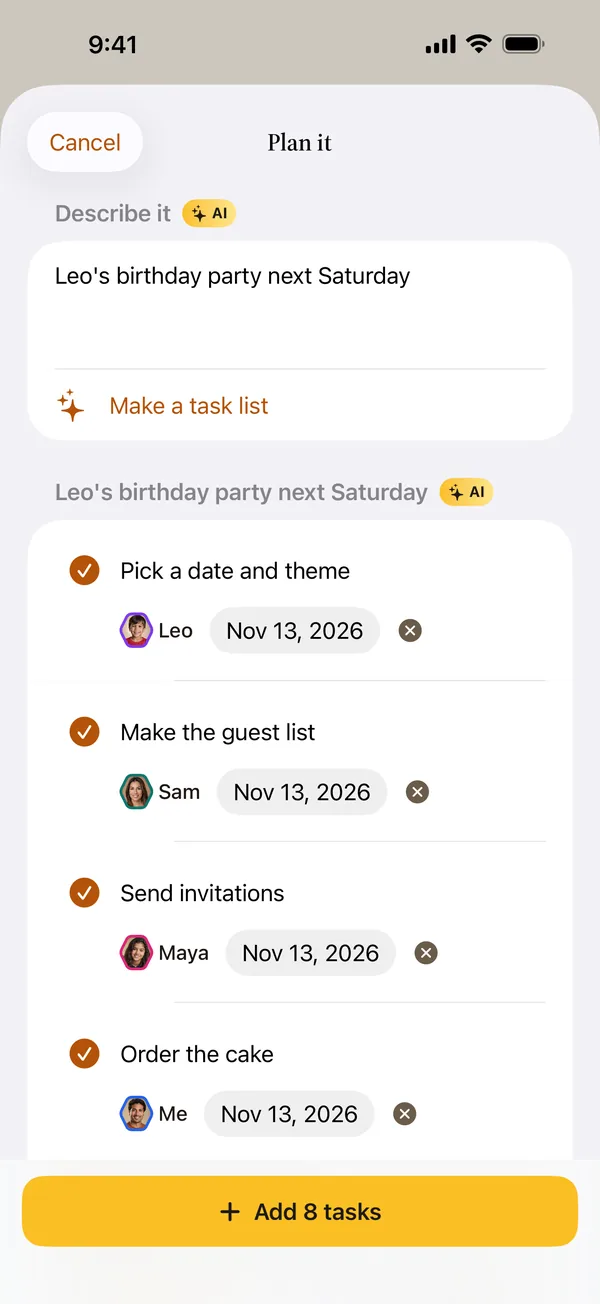
Describe the goal, like "Leo's birthday party on Saturday for 12 kids", and get a task list split fairly across the family, with due dates when the plan has them.
You stay in charge. AI can be turned off for the whole family or for any one person, AI is off for kids under 13 unless a parent turns it on, and school calendar photos are deleted as soon as they're read.
Each person gets their own calendar and their own color. Look at one person, or the whole family side by side, by day, week, month or list.
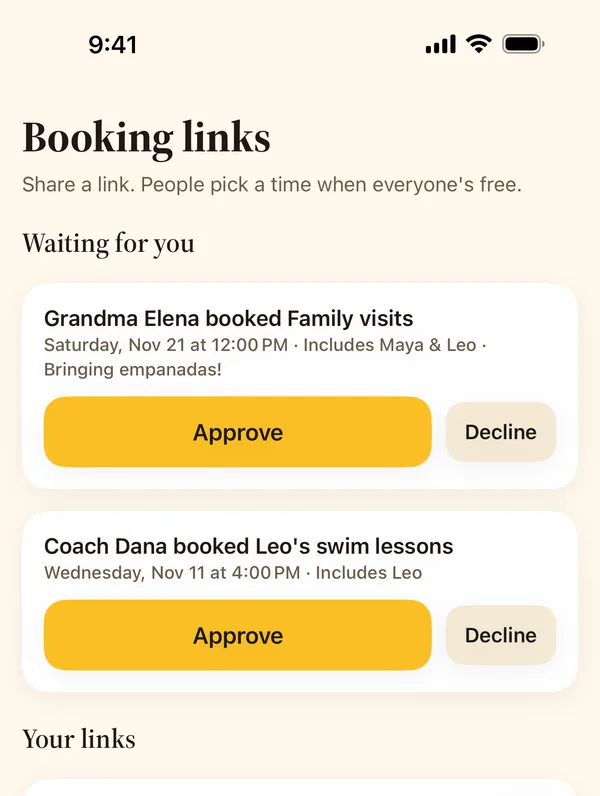
Make a link for the whole family, one person, or the people you pick. Grandma opens it, sees only the times that work for the people you picked, and books. You can set a gap between bookings and other plans.
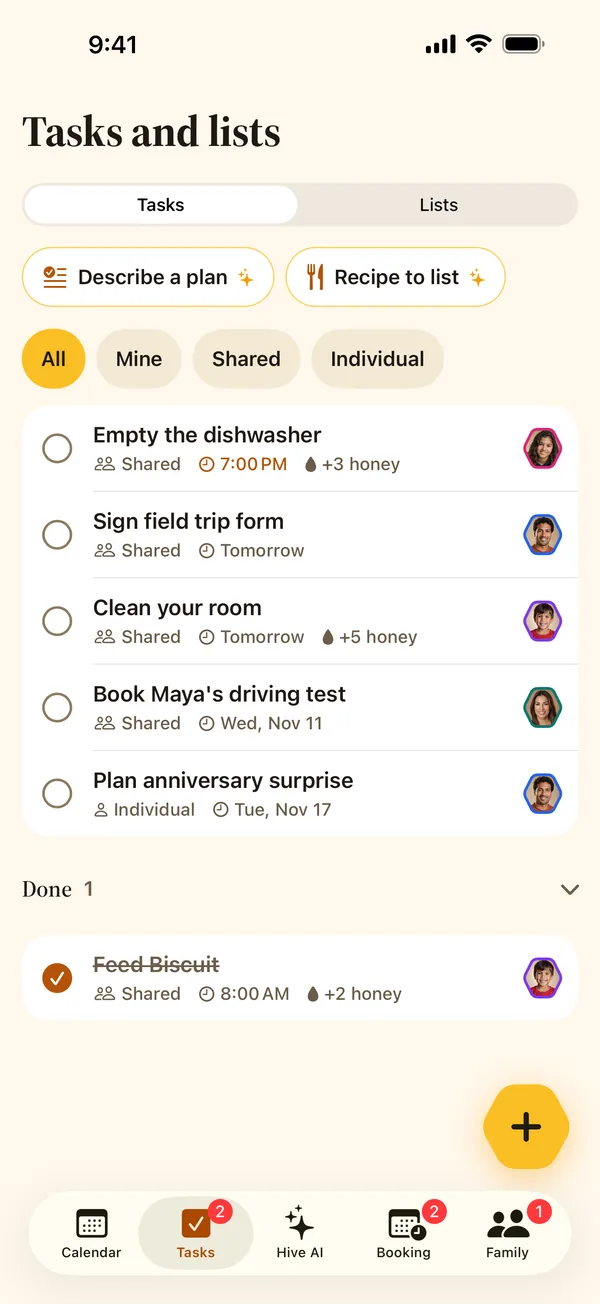
Chores, groceries and packing lists everyone can check off, plus tasks that are just for one person. Kids earn drops of honey for finishing chores.
You decide when kids take over their own calendar. By default, parents manage kids under 13, teens run their own calendar and accept or decline what you propose, and older teens can keep private events.
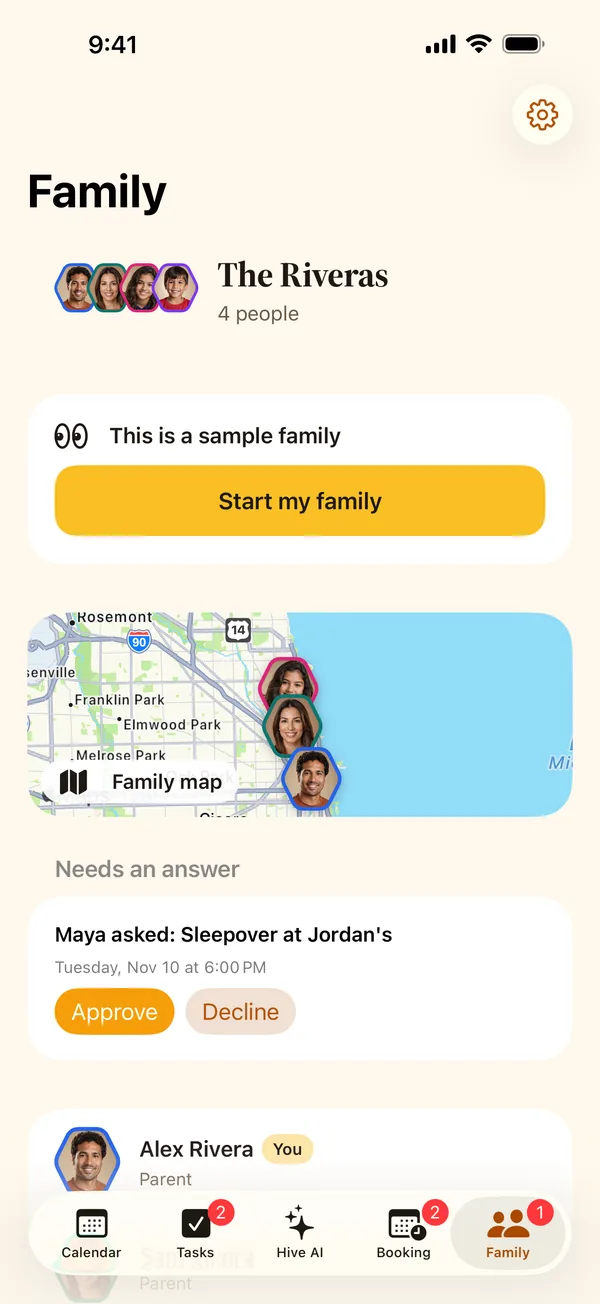
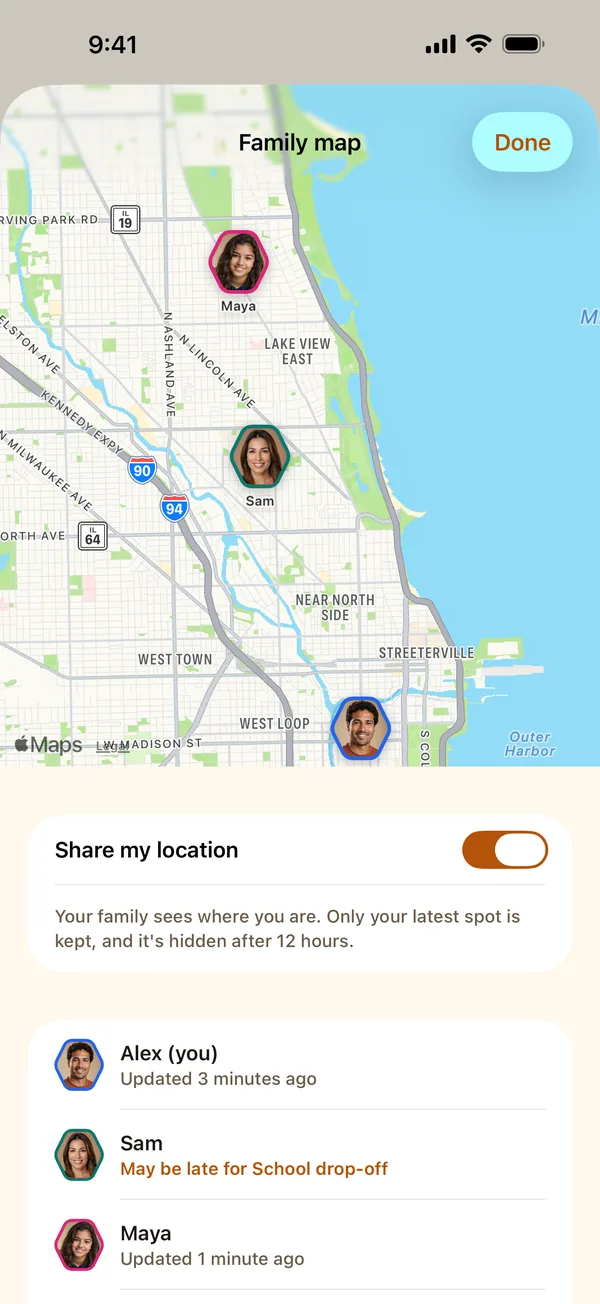
Teens 13 and up and grown-ups with their own login can choose to share where they are with the family. Tap the map on the Family tab to see everyone's latest spot. If someone may be late for what's next, Hivetime warns you early, at the top of the Calendar and on the map.
We don't sell your data, show ads, or use tracking tools. You pay for Hivetime, so we work for you.
Parents set up kids under 13, their photos stay inside your family, and booking pages never name them as a person being booked. Read our notice for parents.
Download your data or delete your account right in the app. Here's how.
No tiers and no add-ons. One subscription covers your whole family, including a co-parent on a different Apple Account and kids who don't have a login.
$5.49 / month
Billed monthly through your Apple Account.
$57.99 / year
Billed once a year through your Apple Account.
Prices are in US dollars and are charged through your Apple Account. Subscriptions renew automatically unless you turn off auto-renew at least 24 hours before the end of the current period. See the terms.
Adults and teens who want their own login use the iPhone app. Kids under 13 don't log in at all; a parent manages their calendar. Grandparents, sitters and coaches can book through a link in any web browser, with no app or account.
Yes. When anyone in your Hivetime family subscribes, everyone in that family gets every feature, even if the other parent uses a different Apple Account.
It doesn't have to. Bring in Apple Calendar, including the Google or Outlook accounts on your iPhone, or a school or team calendar link. For each one you choose whether your family sees the details, just "Busy", or nothing.
A school calendar photo is read once to find the dates, then deleted right away, and our storage removes any leftover copy within two days no matter what. Your data isn't used to train AI models. Details are in our privacy policy.
Not yet. Hivetime is available only in the US App Store for now.
Subscriptions are handled by Apple. Cancel in Settings, then your name, then Subscriptions. Refunds are requested from Apple at reportaproblem.apple.com. More answers are on the support page.